


See GuestTouch work, feature by feature
Pick a product and a feature — or enter your hotel to see it with your name on it.
Built Around Your Goal
Every hotel wants something different from messaging.Tell us which one is yours.
Choose the result you care about most and see how Messaging gets you there.
Hi Emma, what time do you expect to arrive on Friday?
Around 1pm.
Arrival time saved to the reservationQuestions Answered. Waiver Signed. Ready At Check-In. Everything is Saved to their Guest Profile
- Ask arrival times a few days out, so the front desk staffs for the rush.
- Have the earliest arrivals' rooms cleaned first.
- Fewer guests waiting in the lobby.
Every Channel
Not locked to one inbox.SMS, WhatsApp, email, and OTAs, one thread.
Guests reply wherever they already are. Your team checks one place.
- SMS, WhatsApp, email, WebChat, Expedia, Booking.com, and Airbnb, all in one thread.
- Messages go out on the channels you turn on. For each channel, set different messages by the guest's country code and language.
- Your team checks one place, no matter which channel a guest used.
guesttouch.comUnified inbox
Unified inbox
Emma Cartervia WhatsApp, 2 min ago
NewJonas K.via SMS, 14 min ago
RepliedPriya S.via Expedia message, 1 hr ago
RepliedChannel rules
Guest's country code
Channel
Language
+1 (US, Canada)
SMS
English
+44 (UK)
WhatsApp
English
+34 (Spain)
WhatsApp
Spanish
+49 (Germany)
WhatsApp
German
No mobile number
Email
Guest's language
One platform, not four apps stitched together.
Personalized By Default
Guests feel truly taken care of, without your team doing anything extra.
An Official Meta Partner
In a time of fraud, guests hear from your hotel's official WhatsApp Business account, so they know it's really you.
Guidebook, Built In
Guests get answers themselves, one click away, no extra tool to manage.
WhatsApp for Hotels
WhatsApp, the wayyour guests already use it.
Most international guests live on WhatsApp. Message them there from your hotel's official WhatsApp Business account, and answer from the same inbox as every other channel.
- Your official business accountGuests see your hotel's verified name, not a random number. GuestTouch is an official Meta partner.
- Photos, menus and PDFsSend a room photo, tonight's menu or a map, right in the chat.
- Pre-arrival to post-stayWelcome messages, check-in details, upsells and feedback requests all go out on WhatsApp for guests who use it.
- One inboxWhatsApp chats sit next to SMS, email and OTA messages, so your team checks one place.
Nothing for guests to download. They already have WhatsApp.
Messaging Meets Reputation
Hear about problems in the stay,not in the review.
The same conversations that run the stay also decide what guests say about it afterward.
In-Stay
Catch problems before they become reviews.
A quick check-in during the stay tells you how it is really going. A guest who is unhappy tells your team, not the internet.
How is your stay going so far, Emma?
Honestly, the AC in 412 is not working.
Escalated to Manager on DutyMaintenance on the way
EscalatedFixed before checkoutNo bad review to answer later
Resolved
Post-Stay
Turn great stays into great reviews.
Ask for feedback your way, in your words, right after checkout. Every guest gets an easy link to share a review publicly, and every review lands in GuestTouch Reputation.
Thanks for staying with us, Emma. How was it?
Loved it. Best breakfast we have had in years.
New 5-star review on GoogleArrived in GuestTouch Reputation
ReputationReply drafted for your teamReady to review and post
ReadyThe proactive feedback loop
In-stay check-in→Issue fixed→Feedback requested→Review earned→Answered in Reputation
How It Works
Not one message, blasted to everyone.The Adaptive Boutique Messaging Model.
Six variables, combined however your property needs them, so every message feels like it was written for the one guest reading it.
Right MessageRight GuestRight TimeRight FormatRight ChannelYour Way
9:41
EC
Emma CarterRoom 412
Today
Hi Emma! Happy Hour starts at 5 PM in our Rooftop Bar tonight.
16:30 · Delivered
Ooh, what's on tonight?
16:31
 2-for-1 craft cocktails till 7 PM. We saved you a seat.
16:31 · Delivered
Perfect, we'll be right down!
16:32
happy-hour.jpg
Message
Right Message
Content written for the room, the room type, or the unit, not a generic hotel-wide line.
Right Guest
One guest, a segment, or every in-house occupant, your call per broadcast.
Right Time
Triggered by a guest event like check-in, or scheduled for an exact date and time.
Right Format
Plain text, an image attached, or a broadcast, whichever gets read.
Right Channel
Messages go out on the channels you turn on, with a different version for each country code and language.
Your Way
Mix and match them however your property runs.
Guest Journey
Not sent whenever someone remembers.Precise engagement across the entire guest journey.
Guests hear from you at the right moment, every time, without anyone on your team having to remember.
Pre-Arrival
Check-In
In-Stay
Check-Out
Post-Stay
The whole journey covered automatically, not just the moment someone thinks to send a message.
- Set it once, and it sends the right message at the right moment, pre-arrival through post-stay.
- Still yours to edit and make changes anytime.
guesttouch.com
Pre-Arrival
Hi Emma, we can't wait to welcome you on Friday! What time do you expect to arrive?
Upcoming sends
Booking confirmationTriggered, on booking
AutomatedArrival time request3 days before arrival
AutomatedRoom upgrade offer2 days before arrival
UpsellCheck-In
Welcome, Emma! Room 214 is ready. Wi-Fi: Harbor-Guest, password seaside24.
Upcoming sends
Welcome messageTriggered, on check-in
AutomatedWi-Fi and parking detailsTriggered, on check-in
AutomatedDinner reservation prompt2 hours after check-in
ScheduledIn-Stay
Beach bonfire tonight at 7pm on the north lawn. S'mores are on us!
Upcoming sends
Mid-stay check-inDay 2, 11:00 AM
AutomatedBeach bonfire tonight, 7pmScheduled, Fri 8:00 AM
ScheduledSpa afternoon offerDay 2, 3:00 PM
UpsellCheck-Out
Checkout is at 11am tomorrow. Would you like a late checkout until 1pm for $25?
Upcoming sends
Late checkout offerEvening before departure
UpsellCheckout reminderTriggered, 10am day of departure
AutomatedFolio and receiptTriggered, on checkout
AutomatedPost-Stay
Thanks for staying with us, Emma! How was everything?
Upcoming sends
Thank-you message2 hours after checkout
AutomatedFeedback request1 day after checkout
AutomatedReturn-visit offer30 days after checkout
Scheduled"Right messaging led to record revenue month for our hotel's restaurant, the first month after implementing GuestTouch!"
S
Syd
General Manager, Lodge in TN
Segment and Broadcast
Not one message to everyone in-house.Broadcast to exactly who needs it.
Say the right thing to the right guests, at any point in their stay. Everyone else is spared one more notification to ignore.
- Pre-built segments for arrivals, departures and in-house guests, ready on day one.
- Build your own by room type, floor, rate plan, VIP or loyalty status.
- Send photos and menus by MMS or WhatsApp, like tonight's restaurant menu or a happy-hour flyer.
- Broadcast to your staff too: shift updates, VIP arrivals or a heads-up before a big group checks in.
guesttouch.comBroadcasts
In-House 142
Arriving Today 38
Departing Tomorrow 26
Suites 19
VIP 12
Tonight's dinner menuSent to All in-house guests, 142 recipients
MMS + WhatsAppExtend your stay one night, 15% off12 recipients
Departing VIP guestsPool deck closing early tonight142 recipients
All in-house guestsVIP group of 20 arriving at 3pm, rooms 401 to 420Front desk + housekeeping, 9 staff
STAFF BROADCASTRich Messages
Not another wall of plain text.Images guests actually look at.
A photo lands in one glance. A paragraph gets skimmed, or skipped.
- Works everywhere, SMS, MMS, WhatsApp, and email, not just one channel.
- See exactly what the guest sees, before you hit send.
9:41
EC
Emma CarterRoom 412 · SMS
Today
Happy Hour starts at 5 PM on the rooftop. 2-for-1 craft cocktails till 7!16:30 · Delivered
Ooh, we're in! Can we bring the kids?
Of course, there's a mocktail menu too.
9:41
EC
Emma CarterRoom 412 · SMS
Today
Hi, the sink in our bathroom won't stop dripping.
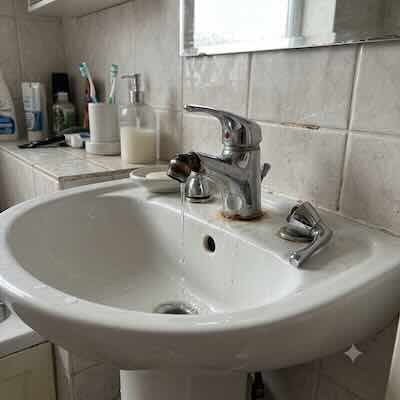
So sorry, Emma! Maintenance is on the way, about 10 minutes.
09:12 · Delivered
Media to guests
Room-Type Personalization
Not one message for all room types and guests.One send, a unique message per room type and guest.
Write it once. Every guest gets the version that's actually relevant to them.
- No manual list-splitting or separate sends for your team to manage.
- Guest name, room number, and stay details fill themselves in.
guesttouch.com
Welcome messageOn check-in
Welcome, Priya! Your private plunge pool is heated and ready, and your villa butler is one message away.
One send, a version per room type
Private VillaPriya S. · Villa 3
PerkOcean View SuiteEmma C. · Suite 402
UpsellGarden View RoomJordan R. · Room 118
PerkFamily RoomAlex M. · Room 226
InfoDigital Guidebook
The Guide That Answers Your Front Desk's Busiest Hour.
A guide your hotel curates. Guests open it on their phone, no app, no download, and stop calling for the WiFi password.
- Before they arrive: questions answered, waiver signed, all saved on the guest profile.
- WiFi, directions, and house info, one tap away.
- Local recommendations, curated by your team.
- Shared by link or QR code, no app, no front-desk explaining.
Book a Demo
3×fewer front-desk calls
Curated by the hotel
 Contact Us
 Guest Services
 Parking
 On-site Instructions
 Exploring the Neighborhood
 Local Dining
 Laundry
 Essentials
Instant answers from your guide
Hi! I'm your Lex Hotel assistant. Ask me anything about your stay.
What are the Wi-Fi details?
The guest network is LexHotel-Guest and the password is welcome239.
Answered from "Essentials"
Message…
Home
Guide
Ask
AI Assist
AI-assisted.Your Team is Always in control.
Answers from your guidebook and your rules
What time does the pool close?
The pool is open until 10pm. Towels are at the pool deck.
Answered from your guidebook: Pool and SpaIs there somewhere close by for breakfast before 7am?
Harbor Bakery opens at 6am, a 3-minute walk. Our lobby also has grab-and-go coffee from 5:30am.
Answered from your guidebook: Local EatsDraft-for-approval or auto-reply, set per hotel
Auto-reply
What's the WiFi password?
It's SeasideGuest2026. Enjoy your stay!
Sent automatically, routine questionDraft for approval
Can I check out at 2pm instead?
Hi Emma, we can offer late checkout until 1pm for $25. Want me to add it?
ApproveEdit
Waiting for your teamAnything sensitive escalates to a person, then to their manager
There's water leaking from the bathroom ceiling.
Flagged as urgent, assigned to Front Desk
No reply in 10 min, escalated to Duty Manager
AI does not reply to sensitive messages